

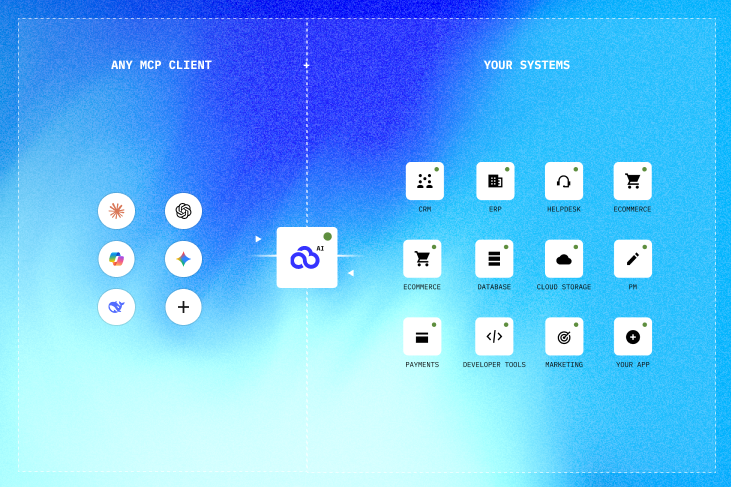
PopdockAI gives AI agents two different ways to reach your business data, and they're built for different contexts. They are complementary, not competing; they sit on the same PopdockAI data layer, and a serious agent setup often uses both. Here's how to think about the difference.
The one-line version
MCP is a protocol. It's the native, typed, discoverable way to plug PopdockAI into an agent host that speaks Model Context Protocol.
The CLI is an executable. It's the universal, scriptable way to reach PopdockAI from anywhere a shell exists, including places where no MCP client is running.
If MCP is the agent walking up to a well-labelled control panel, the CLI is the agent picking up a tool that works in any room in the building.
What MCP is
The Model Context Protocol is an open standard for connecting AI applications to tools and data. A PopdockAI MCP server advertises typed tools (with JSON-Schema inputs) to an MCP-aware host such as Claude Desktop, Claude Code, or any agent framework with an MCP client. The host handles the connection while the model sees the tools, fills in validated arguments, and calls them through the protocol.
PopdockAI treats MCP as a first-class product. You can build MCP servers and tools directly from your connectors, exposing exactly the lists and fields you want with the schemas and descriptions an agent needs to use them well.
MCP shines when:
- Your agent runs in an MCP-aware host, and you want tools to appear natively, with typed inputs and validation handled by the protocol.
- You want a curated, governed surface, with specific tools named and described rather than open-ended command access.
- You want the richer protocol features like structured discovery, resources, prompts, and a persistent session.
What the CLI is
The Popdock CLI is a single command — popdock — that takes a request and prints clean JSON to stdout. An agent uses it the same way it would run git or curl: through ordinary shell/command execution. There’s no protocol negotiation and no client required; there’s just a process, an exit code, and a JSON payload.
The CLI shines when:
- The agent only has a "run a shell command" tool, or runs somewhere with no MCP client, like a CI pipeline, a cron job, a container, a bash script, or a developer's terminal.
- You want the same tool for humans and machines, so an operator can type it to review or debug exactly what the agent sees, and pipe it into
jg, PowerShell, or a spreadsheet. - You want a stateless, dead-simple contract: one command in, JSON out, an exit code that says what happened.
Side by side
They work together
A realistic setup uses MCP where the agent lives natively, like within typed tools, curated and governed, and the CLI everywhere else. That may include the scheduled job that refreshes data overnight, the script an engineer runs to reproduce what the agent saw, the pipeline step that exports to CSV, or the fallback in an environment with no MCP client.
It’s the same data layer underneath, but with two surfaces on top:
- Reach for MCP when you want PopdockAI to show up as first-class, typed tools inside an agent host.
- Reach for the CLI when you want PopdockAI to be a command that runs anywhere, and that a human can run too.
Most teams will end up using both, and that's the point.
PopdockAI, which had been available for limited release since October 2025 for customers and partners with special use cases, is now rolling out to the general public.
popdock gets your data out. popdock-manage builds the setup that makes that data reachable. Here's why they're separate tools, and when to reach for each.
Web UI vs. CLI. To an AI agent, this is the difference between a task that costs a few thousand tokens and one that costs a few hundred thousand.
From AI Potential to AI Performance in Minutes
One layer.
All your apps.
Any AI tool.
Join forward-thinking companies that are transforming their operations with intelligent, secure AI automation.