popdock-manage | CLI
Manage every PopdockAI resource from your terminal
popdock-manage is a single, catalog-driven command-line tool for creating, reading, updating, deleting, and exporting PopdockAI resources — connectors, entities, endpoints, MCP servers, tools, prompts, and everything else in your PopdockAI account.
>
One consistent verb set
>
No clicking through the UI
>
Scriptable end to end
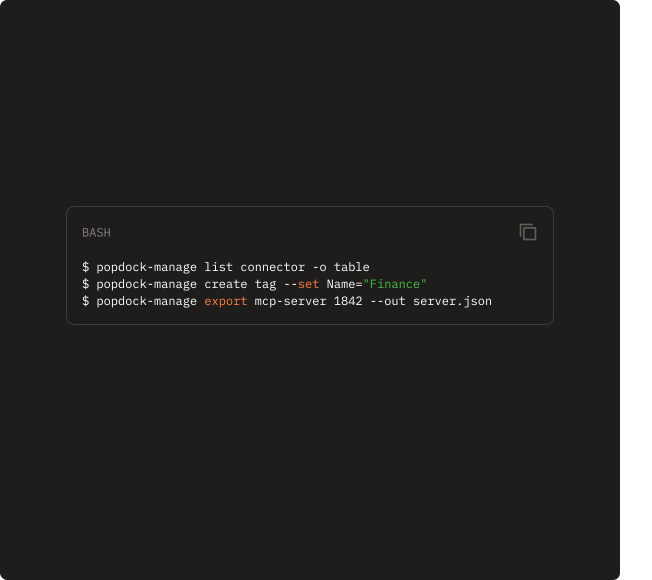
command line interface
Why a CLI?
The PopdockAI web app is built for people, but some of the work people do in it, like provisioning connectors, rolling out MCP servers, bulk-creating tags, and replicating a setup across environments, shouldn’t need a browser at all.
Every one of those tasks is repetitive, precise, and perfect for automation. popdock-manage gives you a scriptable way to do them once, save them, and run them anywhere.
01
Automate the repetitive
Bulk-create tags, provision connectors, or roll out MCP servers from a script instead of a hundred clicks.
02
Put PopdockAI in your pipelines
Clean exit codes and machine-readable output drop straight into CI/CD, cron, and provisioning scripts.
03
Version and promote configuration.
Export a resource to JSON, commit it, and recreate it in another environment. Your PopdockAI setup becomes versioned, reviewable, and repeatable.
04
Move fast when you know what you want
Skip the navigation. Just name the resource, set the fields, and you’re done.
Which CLI do I need?
Popdock CLI vs. Popdock-Manage CLI
Popdock CLI
Popdock CLI queries your business data and the external systems PopdockAI connects, including your ERP, CRM, and other databases.
Popdock-Manage CLI
Popdock-Manage administers your PopdockAI environment itself, including the connectors, MCP servers, and configuration that make those queries possible.
Most teams building with PopdockAI will use both
One tool,
one grammar
The command set is catalog-driven: Popdock-manage reads your PopdockAI instance’s live API specification, so the resources and fields it offers always match what your account actually supports. No hard-coded, drifting list.
Every resource type follows the same verbs, so once you know one, you know them all:
resources
List the resource types you can manage, grouped by domain.
describe
Show a resource’s fields, create variants, and how to supply a body.
list
List records of a resource type.
get
Fetch a single record by ID.
create
Create a record from --set, --body, a file, or piped stdin.
update
Update fields on an existing record.
delete
Delete a record (with --yes to skip confirmation).
export
Export a resource to a JSON file for backup or promotion.
doctor
Diagnose your setup, including token, server, connectivity, and API spec.
Formatting
Built for scripts as much as for people
Three output formats
--output json (default) for pipelines, table for reading at a glance, csv for spreadsheets and reports.
Honest exit codes
0 success, 2 usage error, 78 misconfiguration, 1 for API/other failures, so CI can gate on them.
$ cat connector.json | popdock-manage create connector
# Pull every MCP server as a table for a quick audit
$ popdock-manage list mcp-server -o table
# Rename a record
$ popdock-manage update tag 4471 --set Name="Renamed"
Flexible input
Set fields inline with repeatable --set Field=Value, or hand over full JSON via --body, --body-file, or a stdin pipe for bulk work.
Colorized help
Respects NO_COLOR and non-terminal output automatically.
Setup
Getting Started
01
Set your API Token
Create a token in Popdock (Security -> Tokens) assigned to an API user. Then set the POPDOCK_TOKEN environment variable. Alternatively, you could pass --token <your-token> on any command.
$env:POPDOCK_TOKEN = "<your-token>"
# bash / zsh
export POPDOCK_TOKEN="<your-token>"
02
Check your setup
Run popdock-manage doctor. It verifies your token, resolves your API server root, confirms the API is reachable and your token authenticates, and checks that the OpenAPI spec the CLI depends on is available.
03
Explore what you can manage
With the two commands (resources --search mcp and describe mcp-server), start managing.
$ popdock-manage describe mcp-server
Manage every PopdockAI resource with one tool and one grammar.
Get your PopdockAI environment out of your browser and into your workflow.