
rest
API
REST Connector
Every API your business runs on. Ready for AI.
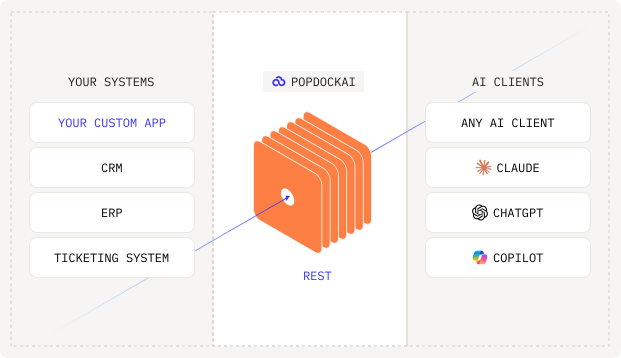
The REST connector turns any REST API into secure, governed tools your AI assistants can use. If your system has an API, PopdockAI can connect it. No custom development, no six-month integration project.
THE PROBLEM
Your most important systems are the ones nobody built a connector for.
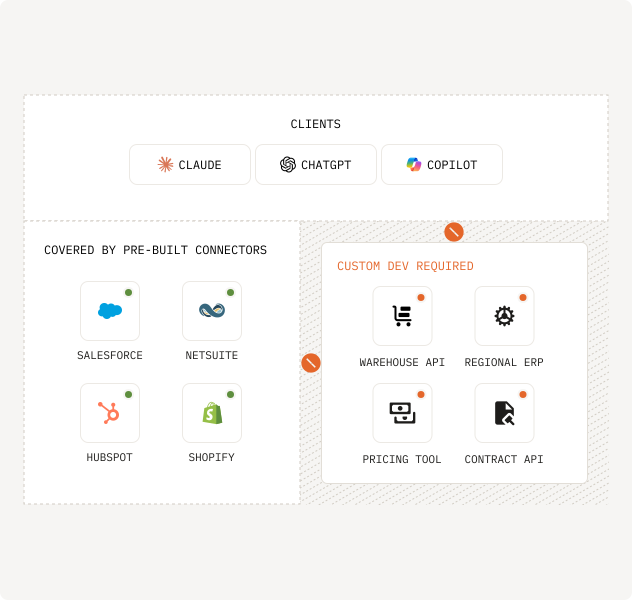
Off-the-shelf integrations cover the big platforms. But your business also runs on internal tools, industry-specific software, and legacy systems with APIs that no vendor will ever support. Connecting those to AI usually means custom middleware: months of development, a security review, and code someone has to maintain forever.
That gap is where AI initiatives stall.
The solution
Point it at an endpoint. Get an AI-ready tool.
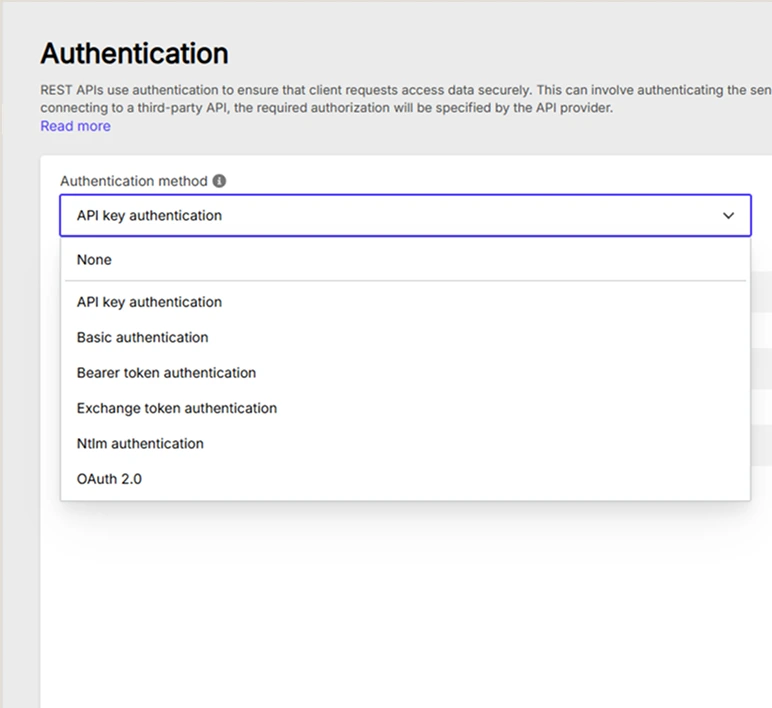
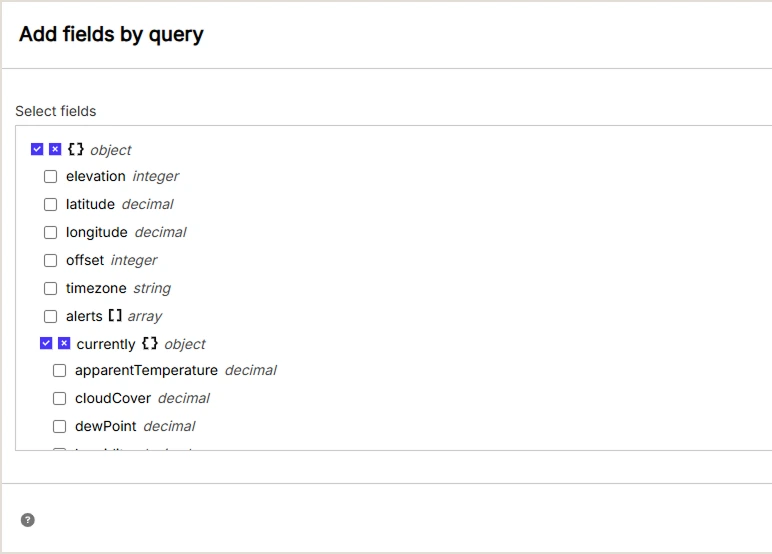
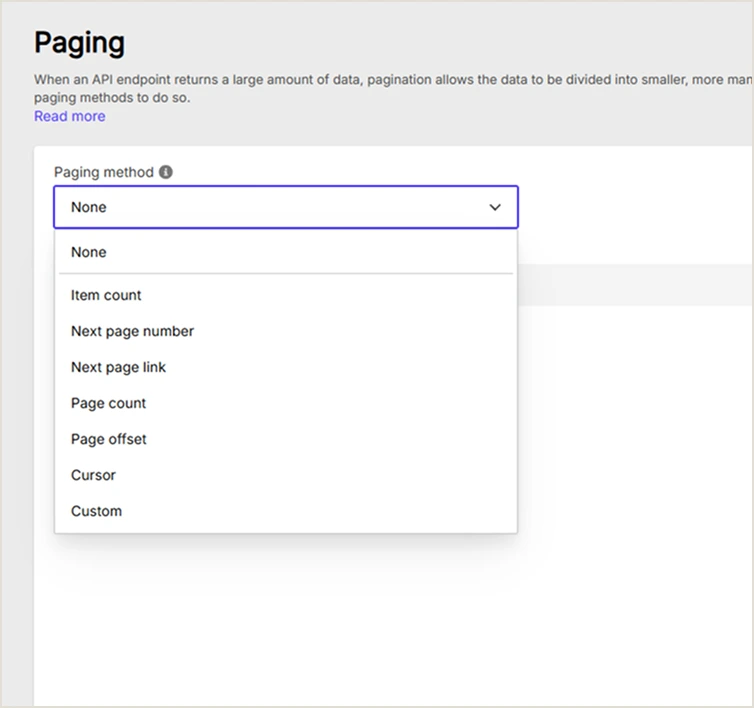
The REST connector speaks the language every modern API already uses. Configure your base URL, choose your authentication, and define the lists you want to expose. PopdockAI handles the rest: parsing responses, mapping fields, paginating results, and publishing everything as governed tools through MCP.
What used to be a development project becomes an afternoon of configuration.
>
Any authentication method. OAuth 2.0, API keys, bearer tokens, basic auth. Credentials are stored securely and never exposed to the AI client.
>
Response mapping without code. Point at a JSON response and PopdockAI maps it into structured, queryable lists with typed fields.
>
Pagination and rate limits, handled. Large result sets and API throttling are managed by the platform, not by your prompt.
[1]
[2]
[3]
Built for the systems only you have
Custom apps.
Legacy platforms.
Niche vendors.
Connected.
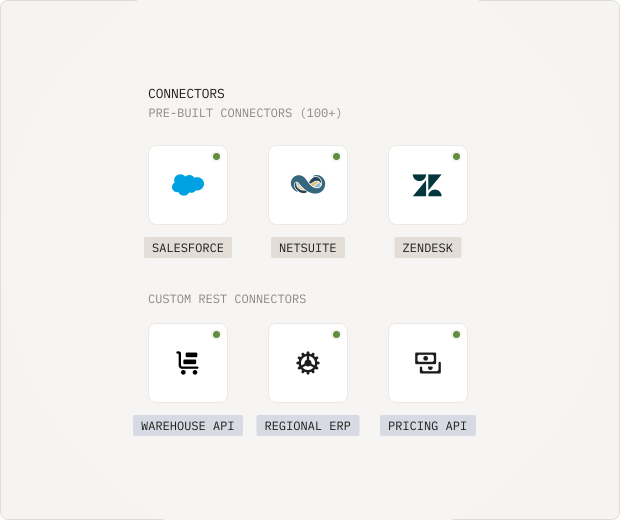
The REST connector is how PopdockAI reaches beyond its pre-built catalog. Internal microservices, homegrown line-of-business apps, regional software with no US vendor presence, SaaS tools too niche for anyone to integrate: if it exposes a REST API, it can join your AI workspace alongside everything else.
And because every REST connection flows through the same platform, it gets the same treatment as a first-party connector: the same security model, the same audit trail, the same governance.
Security that doesn't care where the data came from
Your API keys never meet the AI.
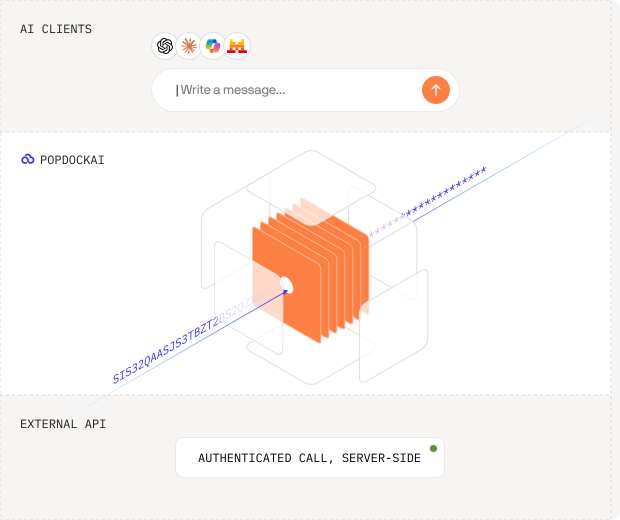
Credentials for connected APIs live encrypted inside PopdockAI, never in a prompt, never in an AI client. Every tool built on the REST connector inherits the platform's full security model: user and team access controls, per-tool restrictions, field-level visibility, and a complete history of every call an AI assistant makes.
You decide which endpoints are exposed, which fields are visible, and who can ask. The AI only ever sees what you allow.
>
Encrypted credential storage with no client-side exposure
>
Resource-level permissions per user and team
>
Full audit history of every tool execution
>
Response shaping so sensitive fields never leave the platform
[1]
Connect your systems
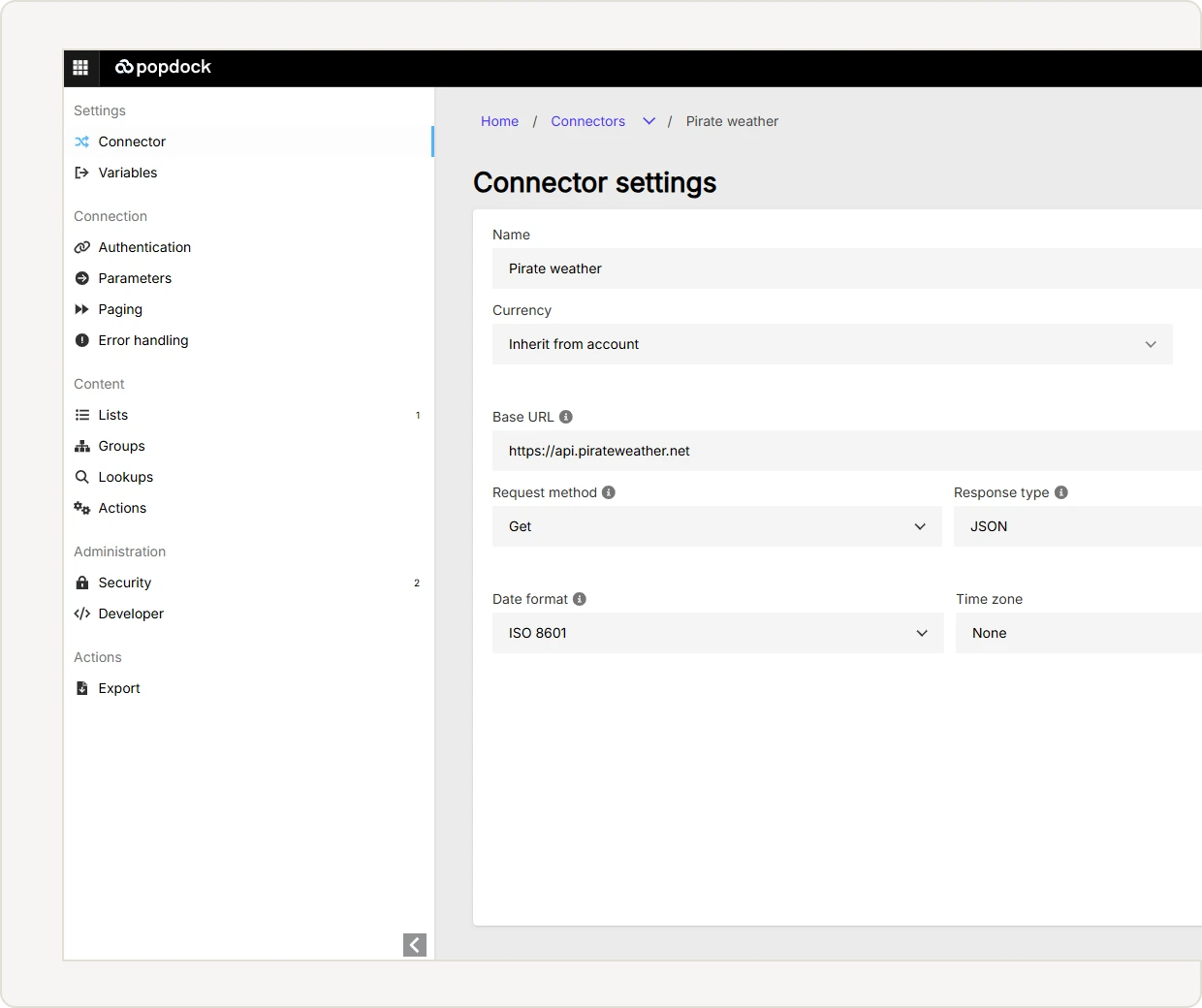
Enter your base URL and authentication details.
[2]
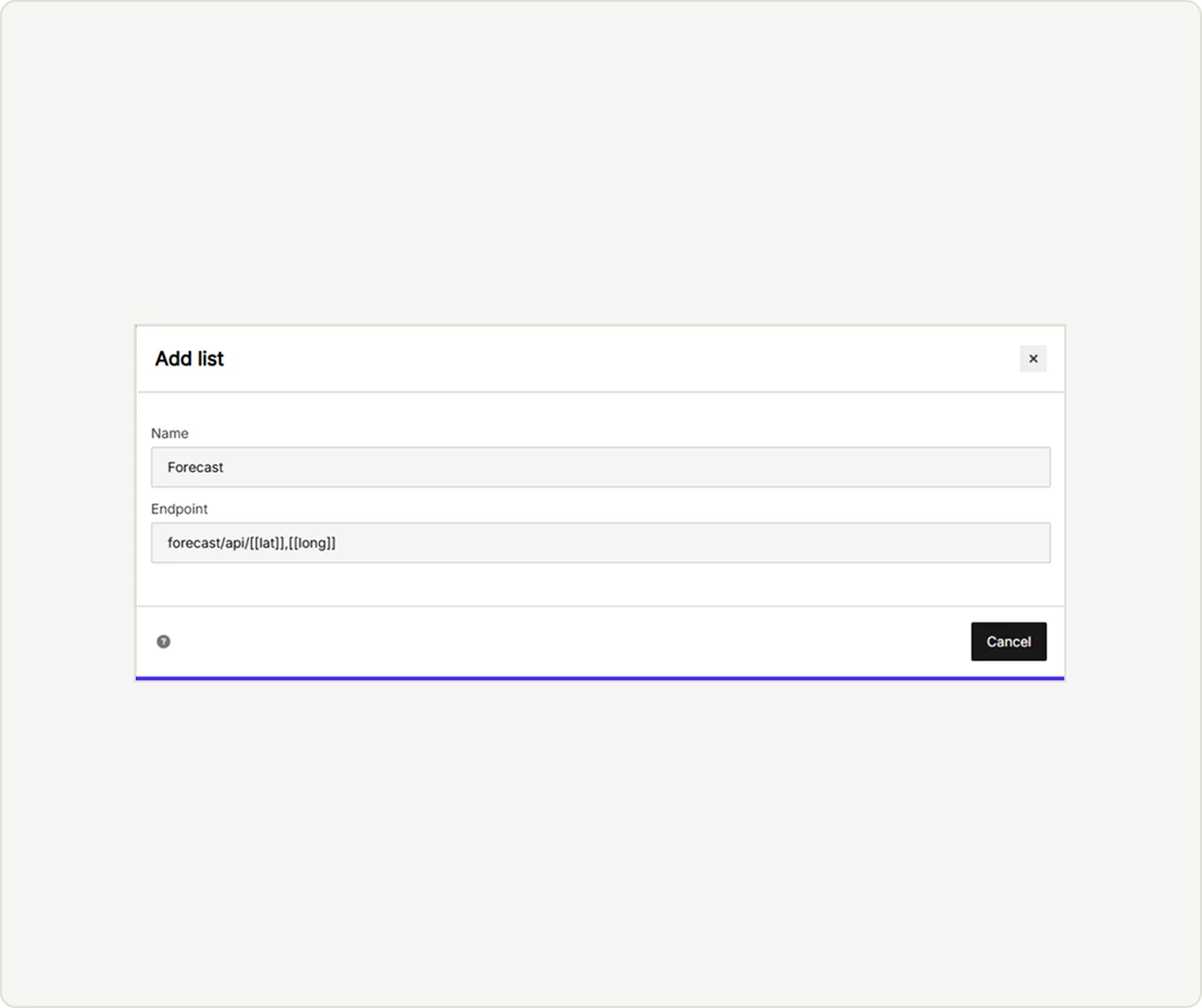
Define your lists.
Choose the endpoints to expose and map their responses into structured lists.
[3]
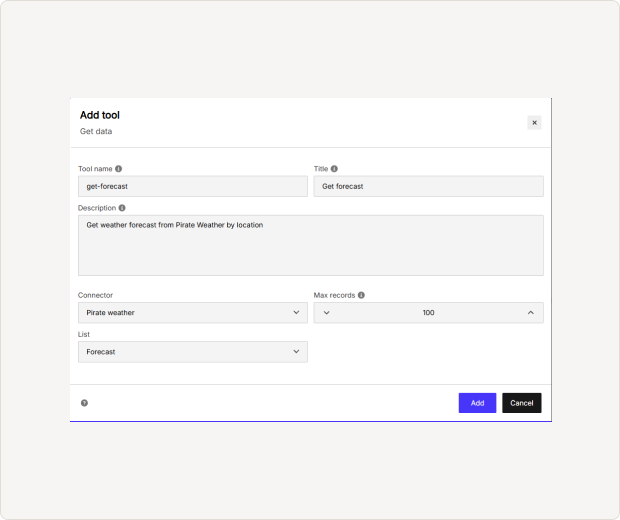
Publish as tools.
Turn lists into MCP tools with parameters, limits, and instructions for the AI.
[4]
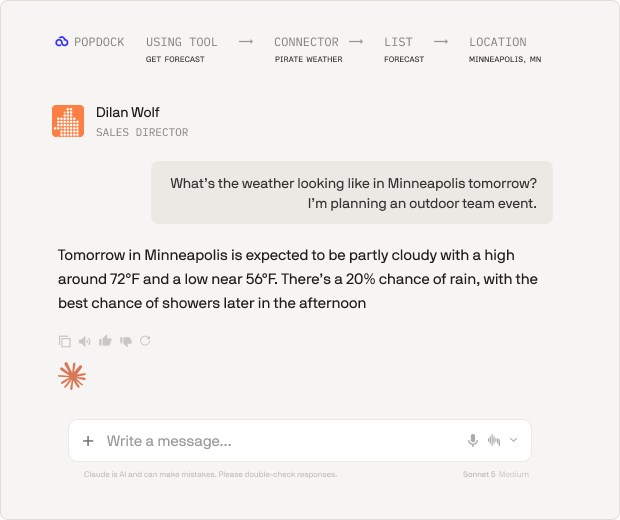
Ask.
Your team queries live data from Claude, ChatGPT, or Copilot, in plain language.
Use cases
What teams build with it.
Operations
The saved pipeline view is read as published: territory already filtered, stages already ordered, and only the columns the team cares about.

Finance
Pull live exchange rates, payment statuses, or billing records from providers without native connectors.

Support
Give agents AI access to an internal customer-history service that no vendor integration covers.

IT
Expose monitoring and asset-management APIs so anyone can ask about system health without a dashboard login.

FAQs
Common questions
Have a question we didn't answer?
Reach out to our team — we're happy to walk through any scenario, including regional pricing, eOne AI bundles, and transition pricing from existing Popdock plans.
No. Connections, list definitions, and tool publishing are all configuration. If your API returns JSON, you can map it without writing a line of code.
Use direct tools for simple, single-step requests — they're fast and they're the default. Reach for code mode when a request spans several tools, needs operations composed together, or relies on tools that build on each other's results.
No. Hybrid mode runs both side by side. Your direct tools handle everyday requests and the code tool handles the workflows, and you decide tool by tool which is which.
No. Code mode only changes how tools are presented to the AI client. Your tools, their configuration, and their security stay exactly as you built them.
Code mode works across Claude, ChatGPT, Copilot, and custom MCP clients, with behavior adapted per client.
Code mode works across Claude, ChatGPT, Copilot, and custom MCP clients, with behavior adapted per client.
Ready to unlock your data?
Start building tools that turn your business systems into AI superpowers
Join forward-thinking companies that are transforming their operations with intelligent, secure AI automation.