One MCP server. No custom integration per AI client.
PopdockAI turns the data you already have in Business Central, Salesforce, NetSuite, Zendesk, and 60 other systems into tools your AI assistant can call. Build it without code, publish it in minutes, and stay in control of exactly what the AI can see and do.

Works with Claude, ChatGPT, Microsoft Copilot, Cursor, and any MCP-compatible client.
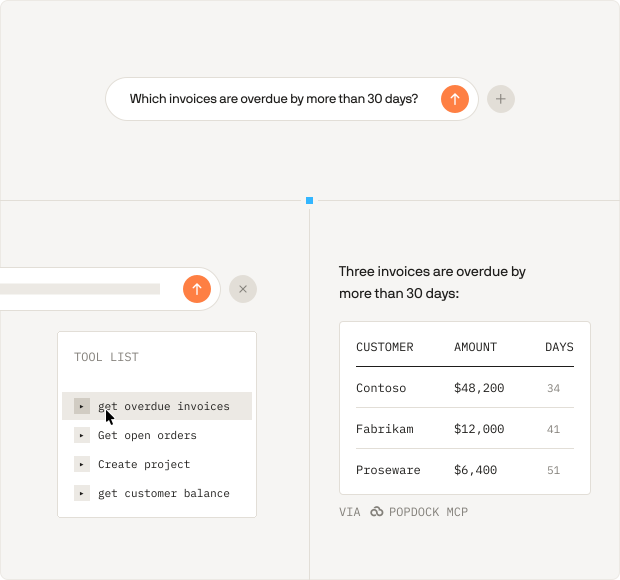
THE PROBLEM
AI is only as good as the data it can reach.
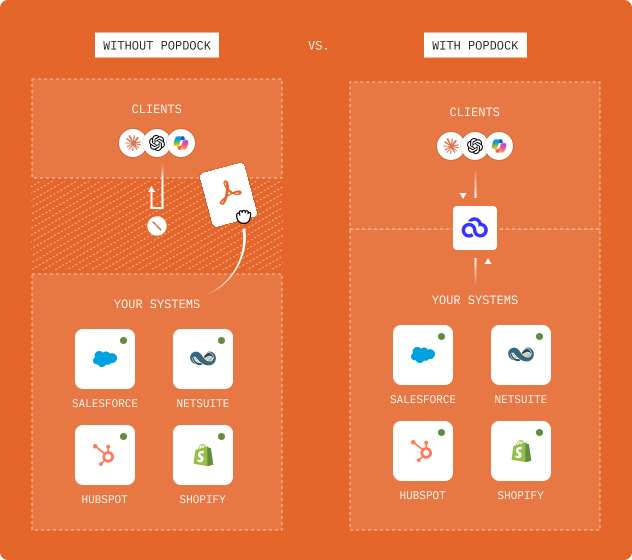
Your AI assistant is fluent, fast, and completely unaware of your business. It has never seen your open invoices, your customer records, or last quarter’s numbers. So your team ends up doing what it always did: logging into one system to look something up, exporting it to a spreadsheet, then pasting it into a chat window.
Model Context Protocol (MCP) is the open standard that closes that gap. It gives AI assistants a consistent way to reach live data and take real actions in external systems. PopdockAI is already connected to your systems, already knows how to query them, and already knows who is allowed to see what. The MCP Server puts that in front of your AI.
PopdockAI already knows how to query your systems. And who is allowed to see what.
How it works
Three steps to a working AI connection.
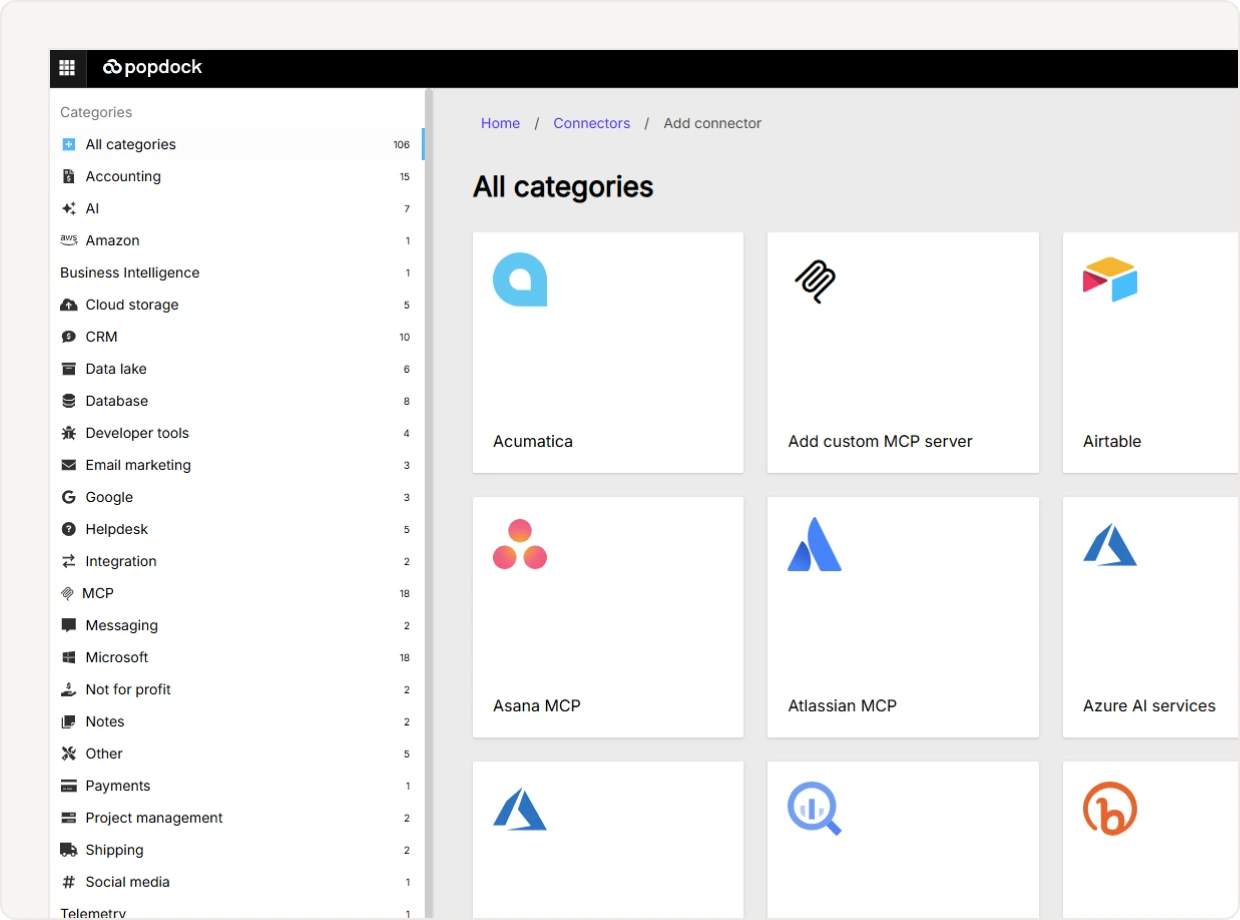
Connect your systems
Point PopdockAI at the applications you want to expose. Cloud apps, on-premise ERPs, SQL databases, data lakes, and REST APIs all use the same connector model, so the AI side does not change based on what is underneath.
Build your MCP server
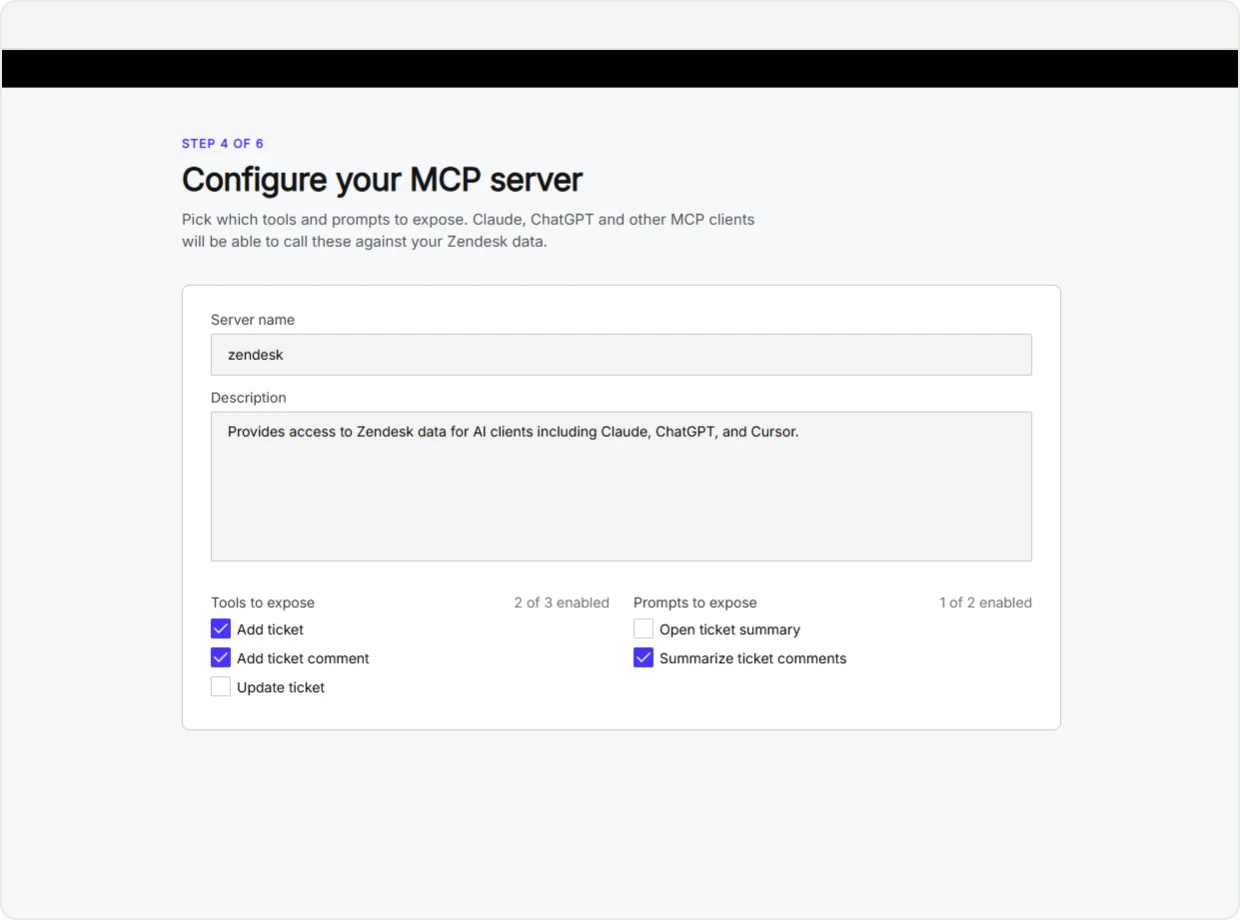
Create a server and add the tools you want to expose. Popdock's onboarding wizard can scaffold a complete server straight from a connector, with a tool for each list, so you have something working before you start refining it.
Paste the URL into your AI client
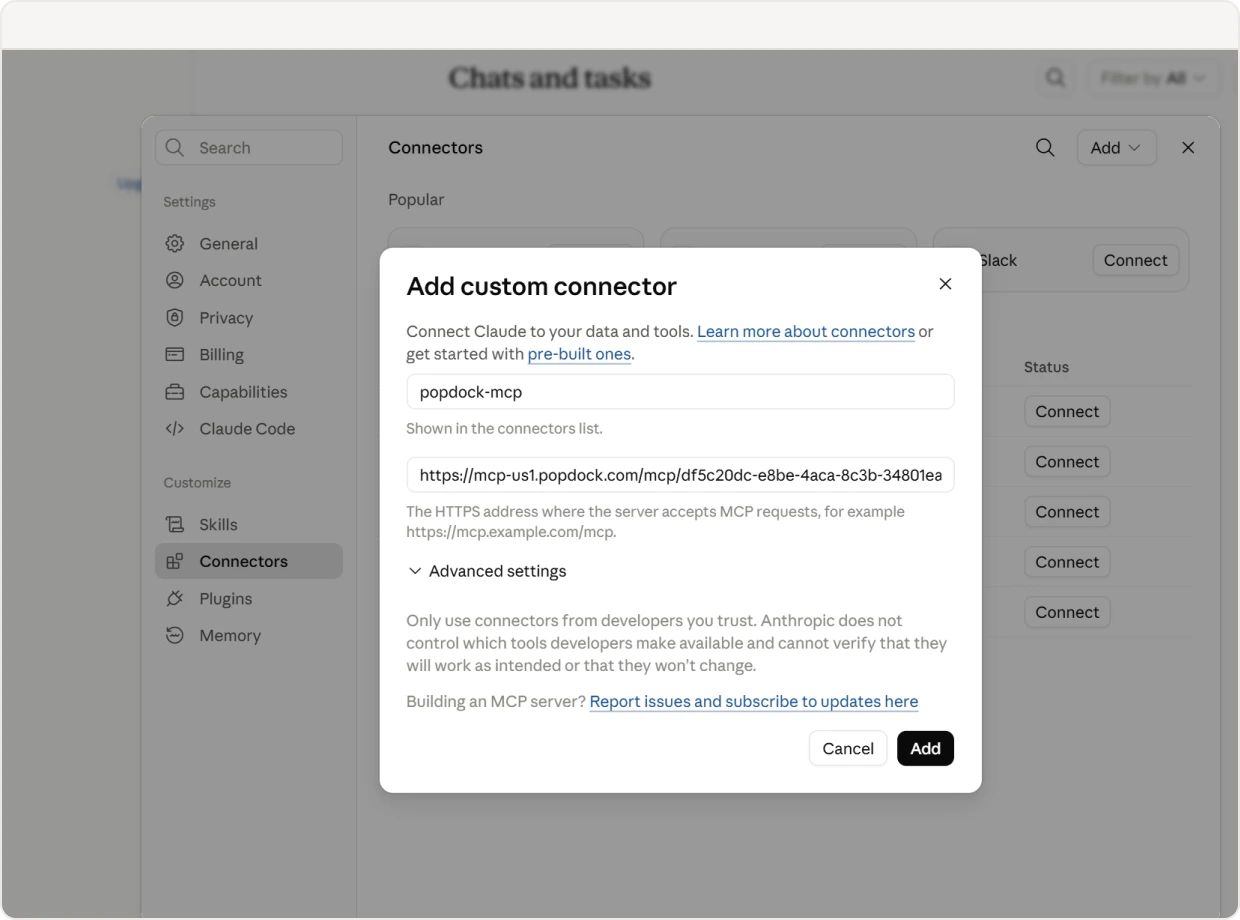
Every server gets its own URL. Copy it into Claude, Cursor, Copilot Studio, or any MCP client, authenticate, and your tools show up ready to call.
What you can expose
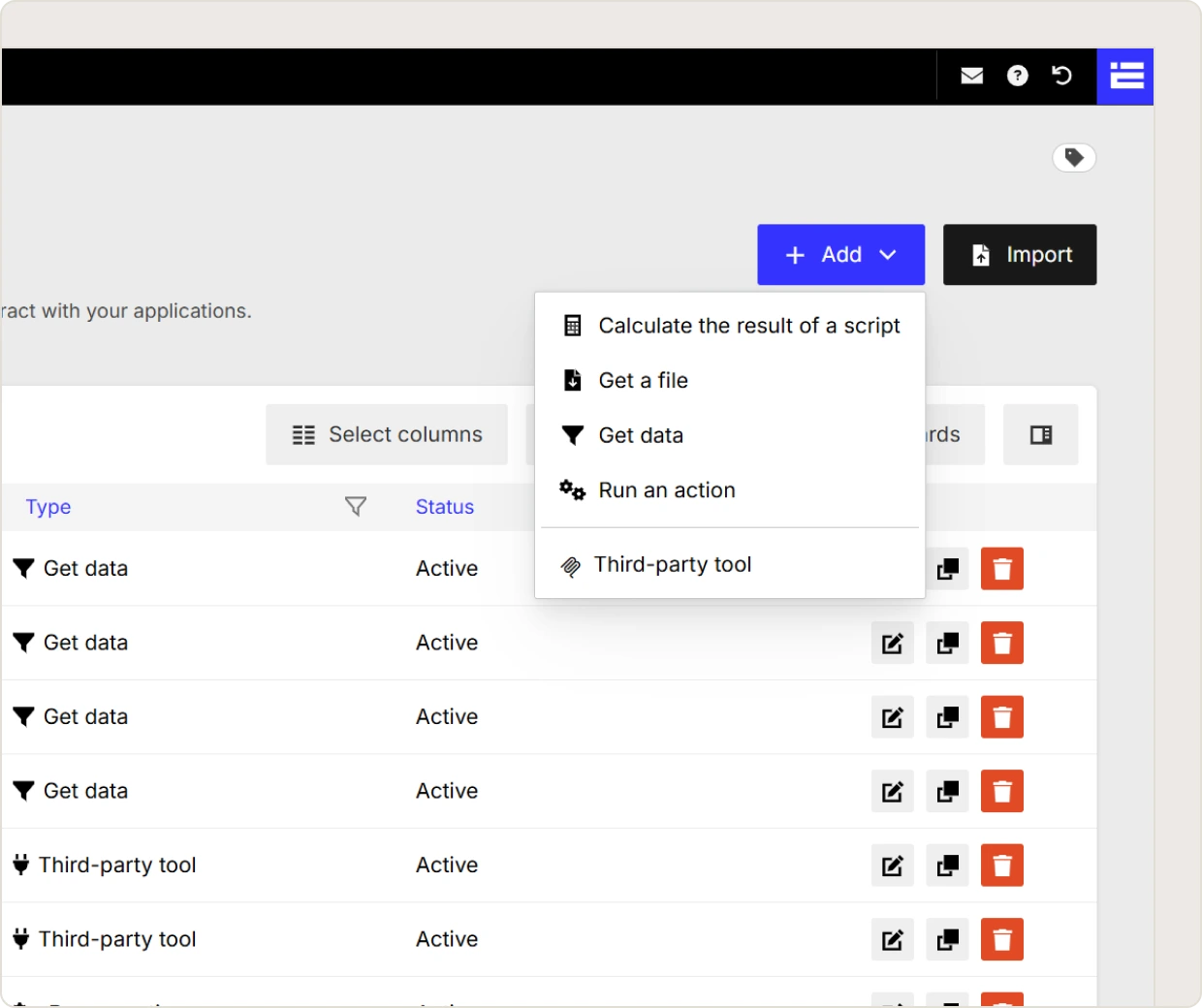
Five kinds of tool.
One consistent interface.
A tool is a single capability you hand to the AI. You decide what it does, what it accepts, and what it gives back.
Get data
Query any list in any connected system. Filter it, sort it, cap the record count, and scope it to a company. This is the powerhouse tool: it's how "show me every overdue invoice from last quarter" becomes a real query against your accounting system.
Run an action
Let the AI do more than read. Create, update, and delete records in the connected system through the actions you have already defined in PopdockAI, with each field either fixed by you or supplied by the AI at call time.
Calculate the result of a script
Expose a calculated field script as a tool. Useful for pricing logic, eligibility rules, scoring and anything else where you want the answer computed by your logic rather than inferred by the model
Get a file
Return a document from a connected system, so the AI can hand a user the actual invoice PDF or attachment rather than describing it.
Third-party tool
Bring in a tool from an external MCP server and serve it through PopdockAI alongside your own, so your users have one endpoint and one set of permissions to manage.
Prompts
Package a whole workflow into one request.
Not every task is a single question. Prompts are reusable, parameterised templates that walk a user through a multi-step process without them needing to know which system holds what, or how the data is shaped.
Saved instructions your AI client can call by name.
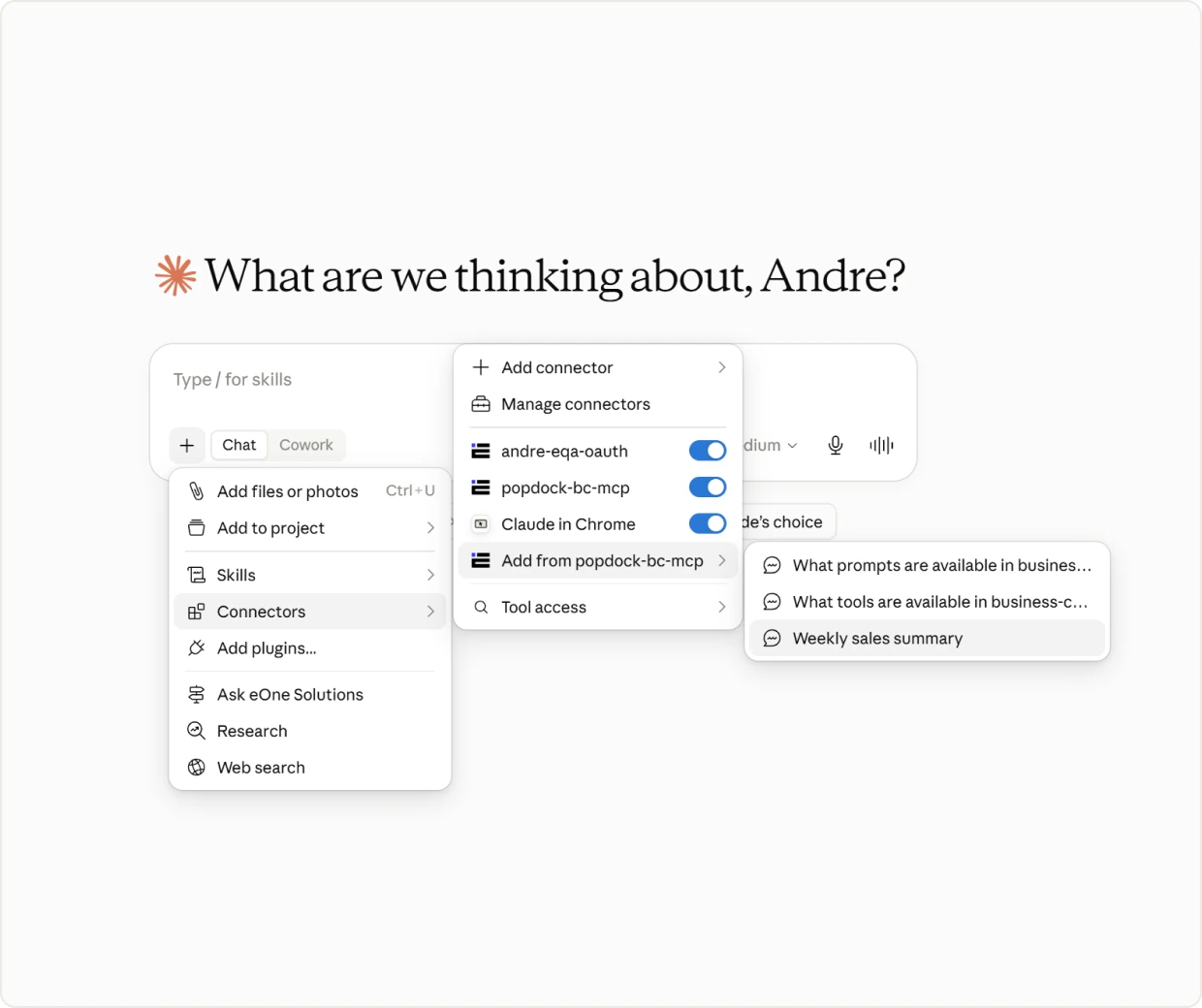
A “Weekly sales summary” prompt can collect the period and the region, query several systems, and format the result the same way every time. Your team asks for it by name. The complexity stays with you.
Works with the clients your team already uses
Bring your own AI.
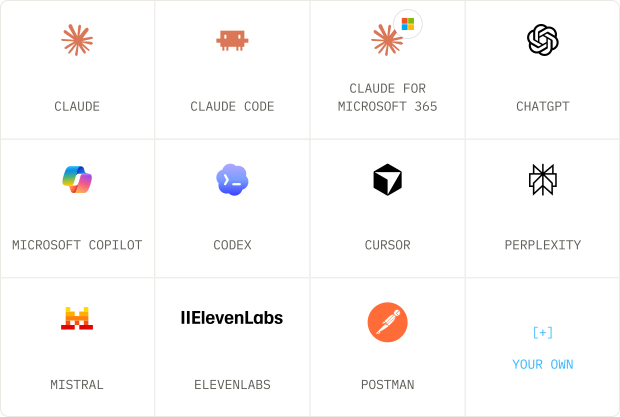
MCP is a standard, which means you are not picking a winner. The same PopdockAI server works across clients, and you can define exactly which ones are allowed to connect.
Ready-made configuration
For clients that need a config file rather than a URL, PopdockAI generates the snippet for you. Microsoft Copilot Studio, Cursor, Windsurf, Gemini CLI, Warp, and Zed are all covered.
Build it without code
Configured,
not developed.
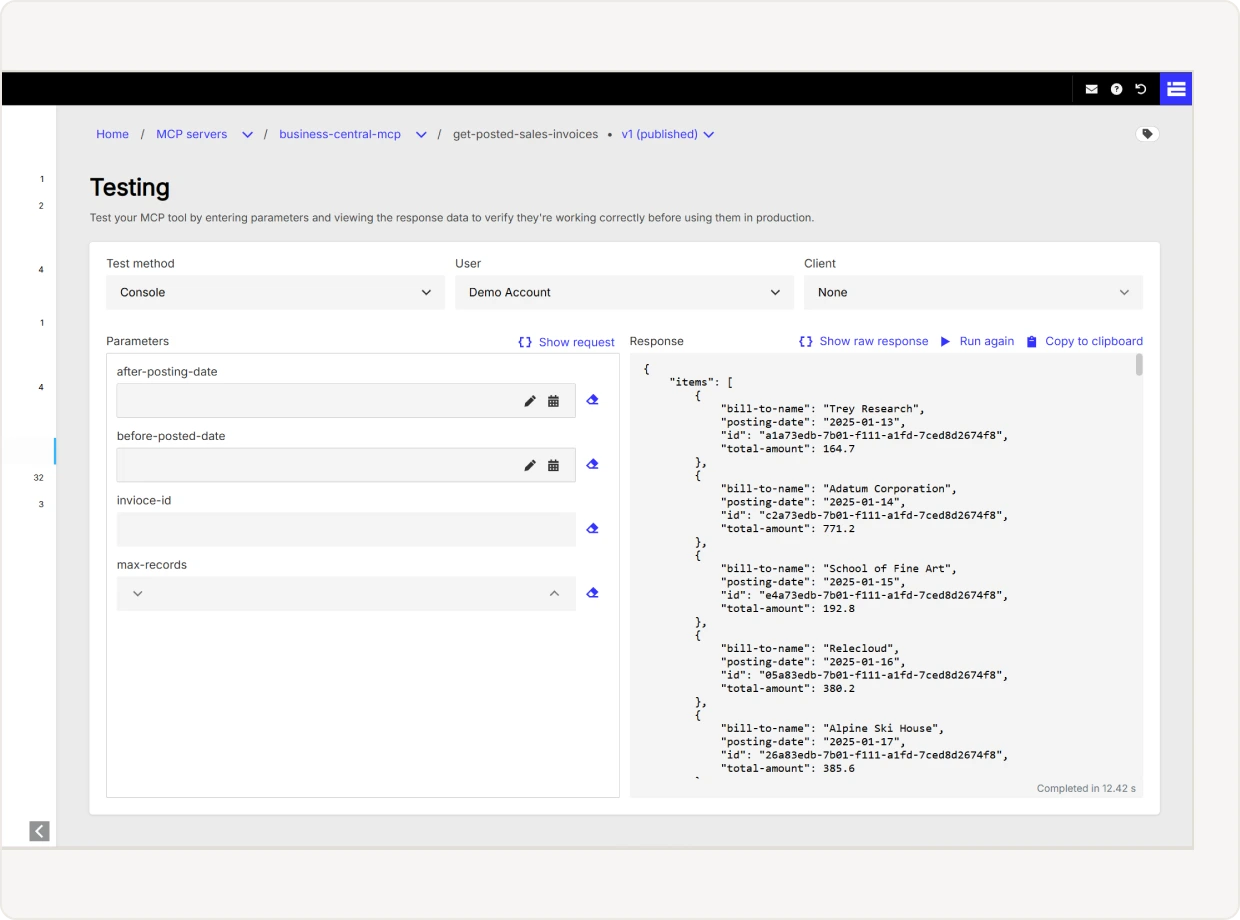
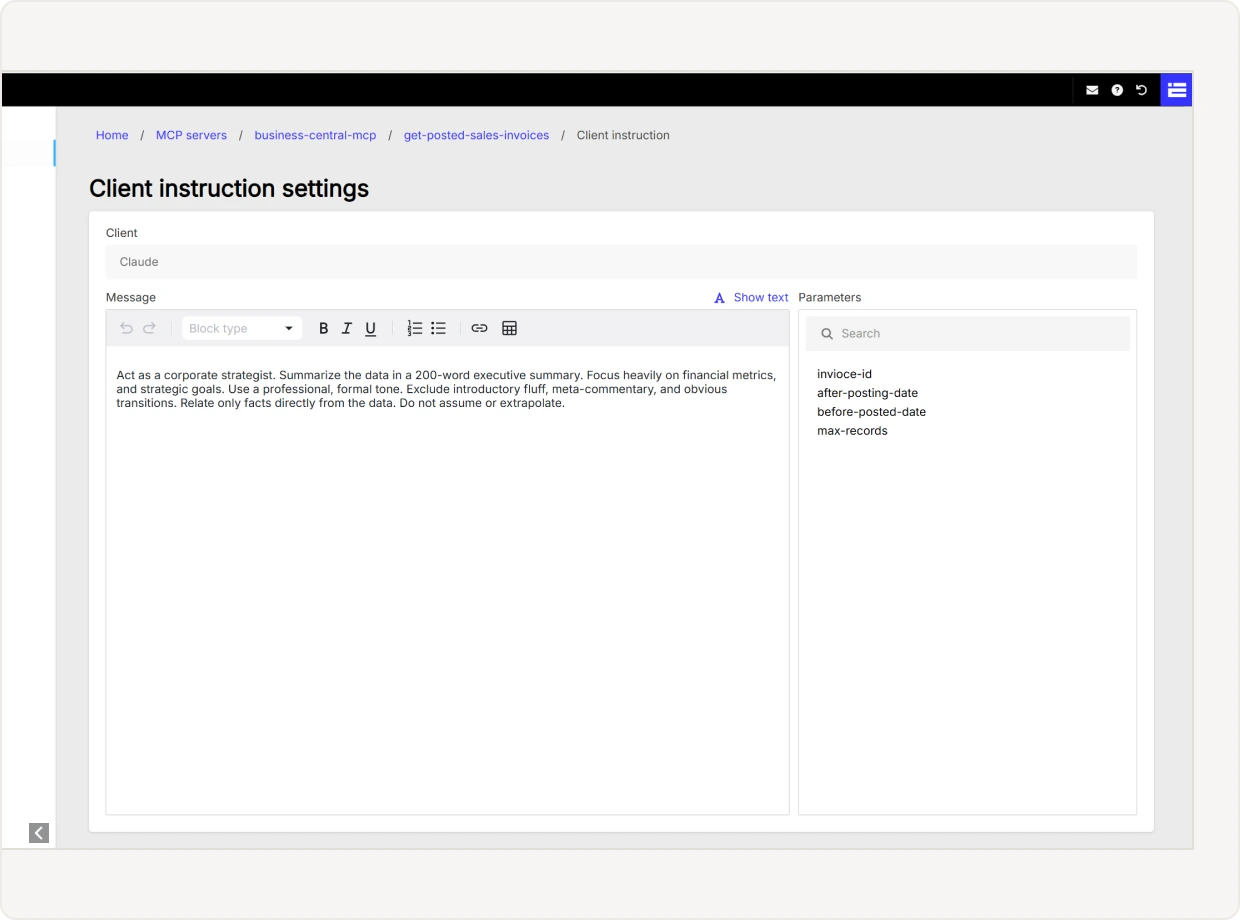
Everything about a tool is a setting, not a code change.
Name it, describe it, choose what it queries, and shape what comes back.
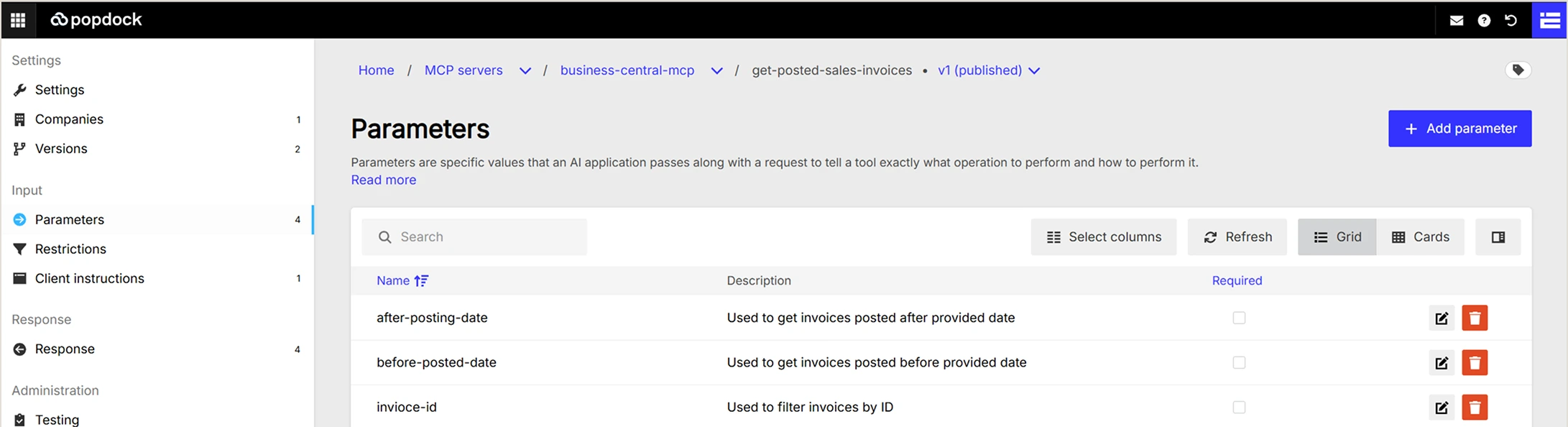
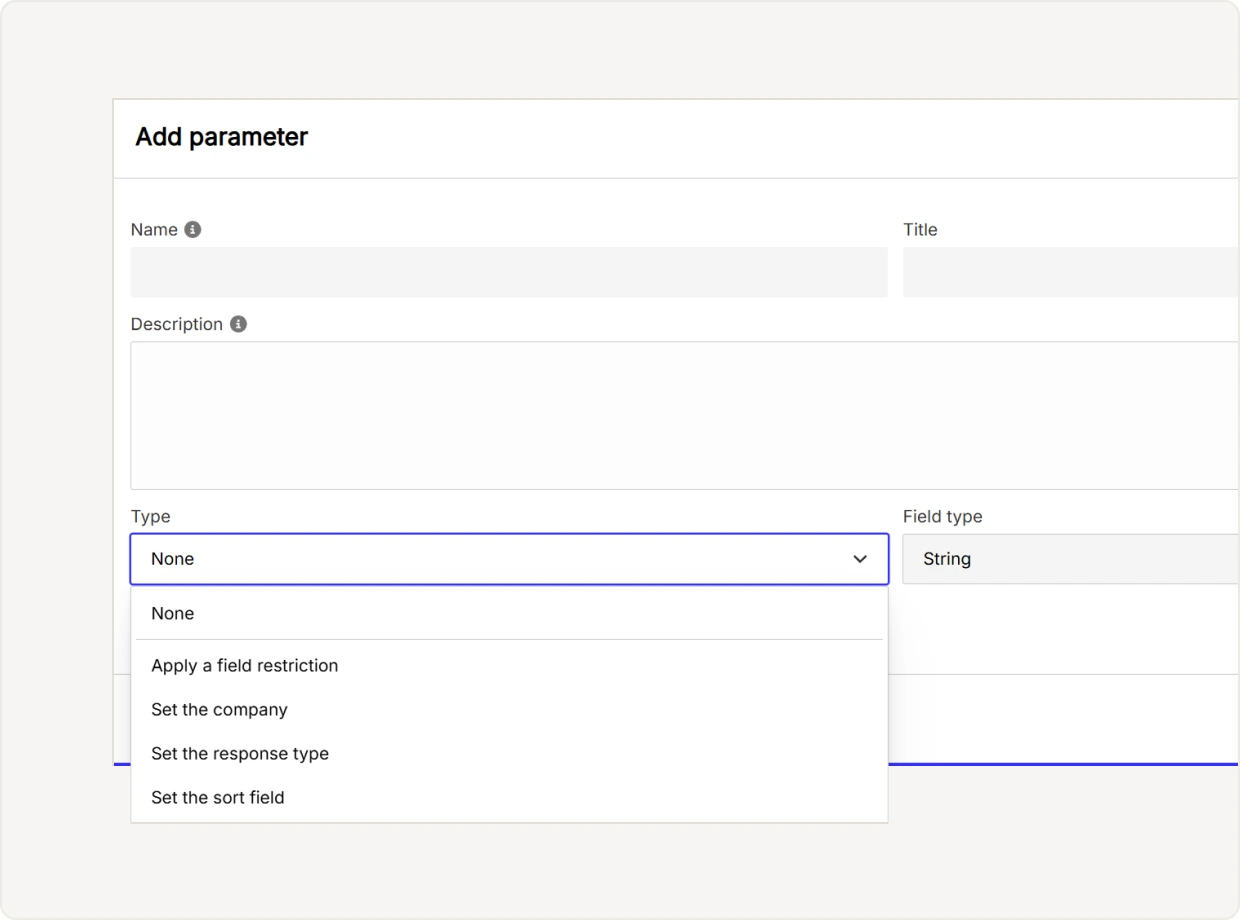
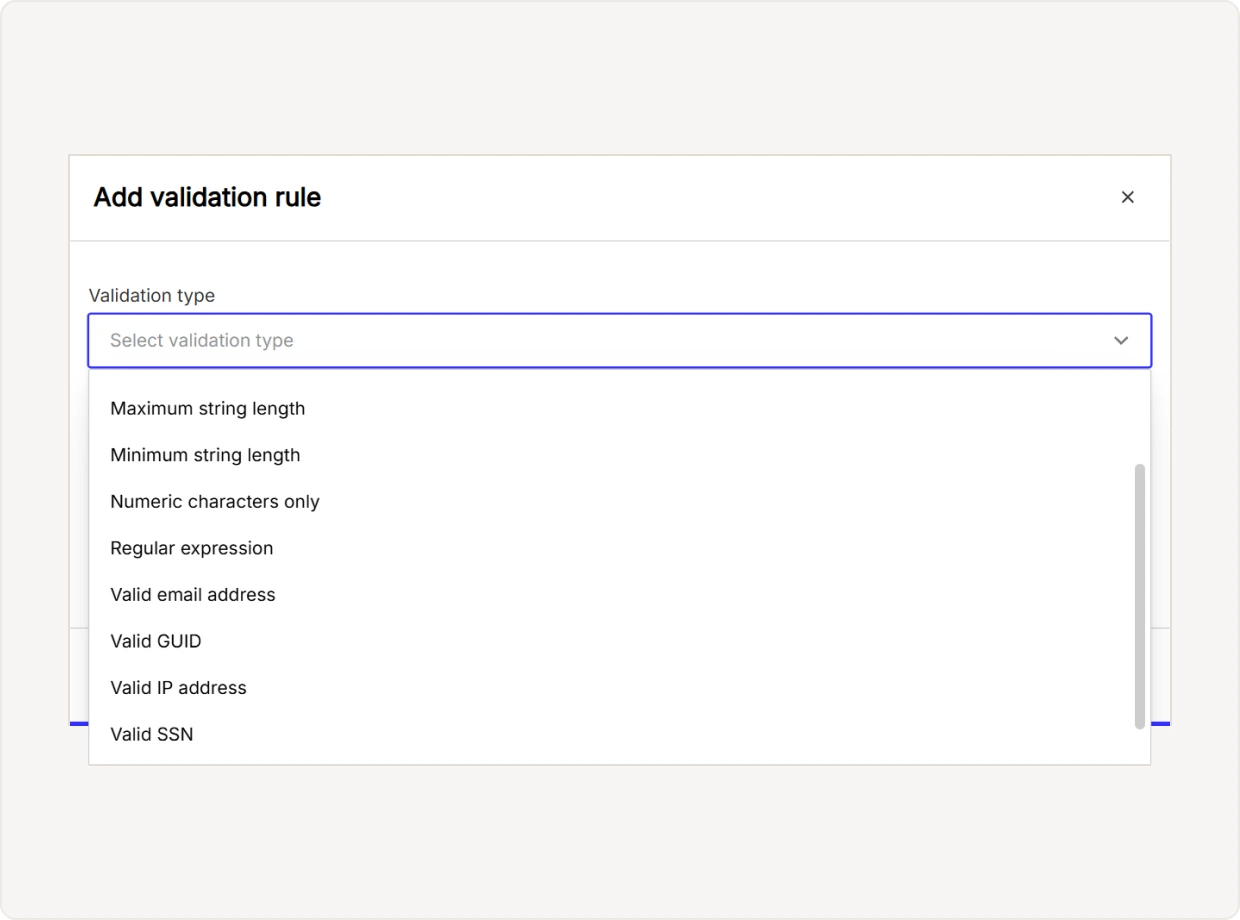
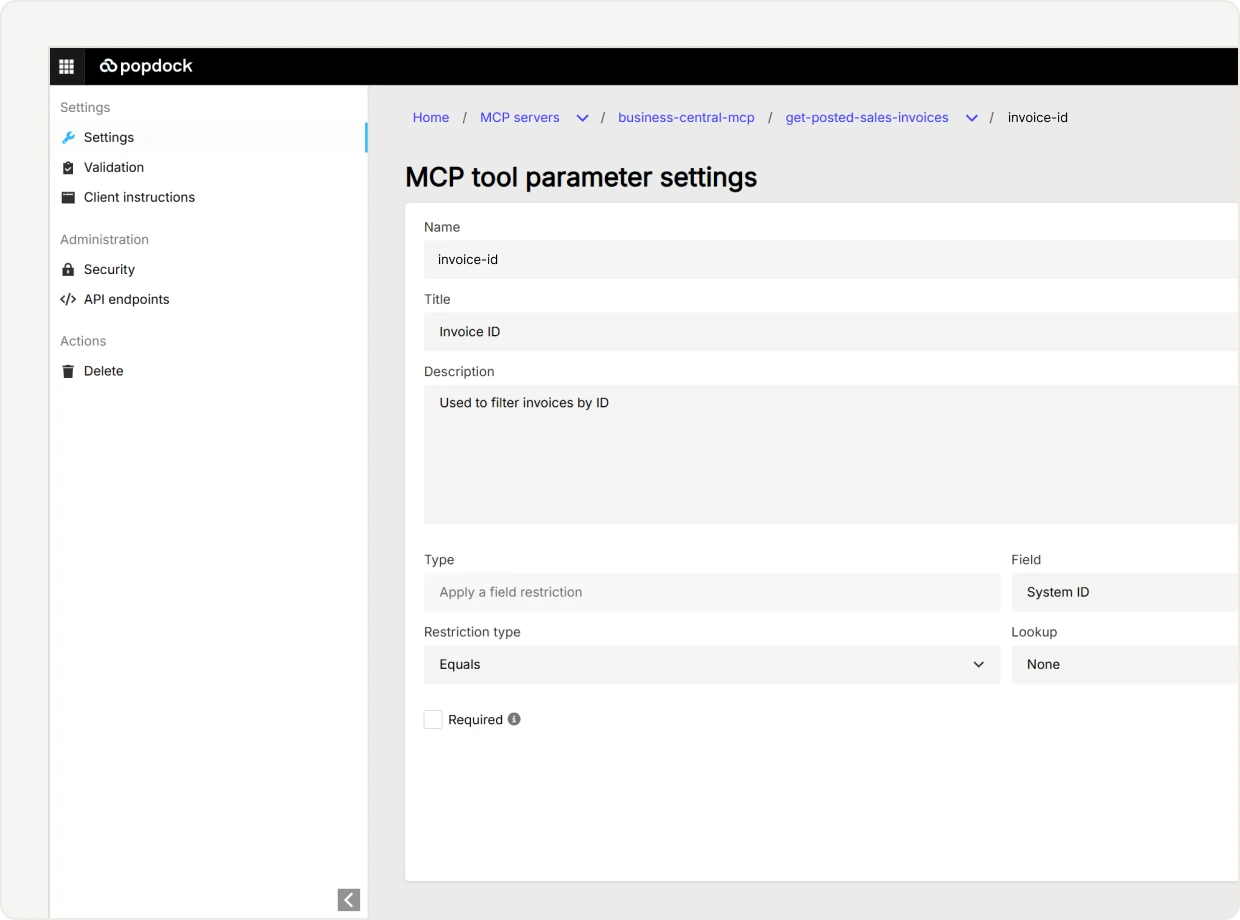
Response formats
Give the AI the shape it works best with.
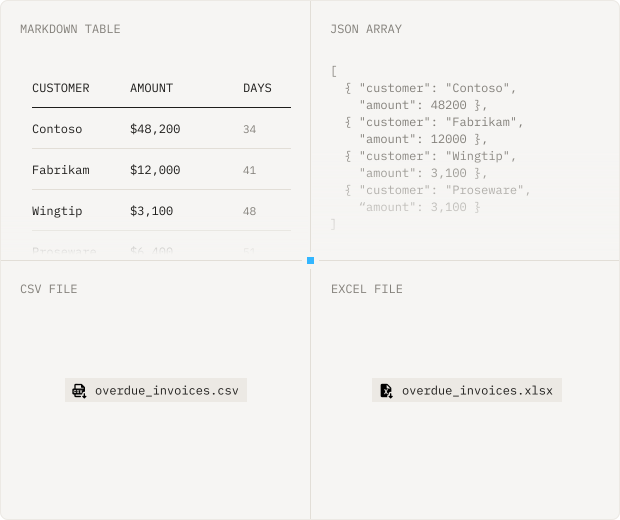
The right format depends on the job. A summary wants readable text. A calculation wants structured data. A hand-off to finance wants a spreadsheet.
Choose from text, JSON object, JSON array, CSV, Excel, and markdown, with file variants for the larger payloads. PopdockAI also adapts to what the client can handle, so an Excel result arrives as a download link in one client and a resource in another without you configuring it twice.
Security and governance
An AI assistant with your permissions, not everyone's.
Handing data to an AI client is a real access decision, so it's governed like one. Nothing is exposed until you expose it, and every tool carries its own rules.
Grant your sales team’s AI read access to
customer data while create and update stay with management.
Authentication that fits your stack
Sign in with OAuth2 and OpenID Connect, or use a token if you need a simpler machine-to-machine path.
Access control per tool and per prompt
Grant by user, by team, or by MCP client. Your sales team's assistant can read customer records while only management can create or update them.
Client restrictions
Decide which applications are allowed to connect at all, and which tools each one can see.
Company scoping
Multi-company environments can restrict a tool to specific companies and set the default the AI uses when it does not specify.
Field-level redaction
Mask sensitive values in the response of a data tool so the field is present and the number is not.
A full audit trail
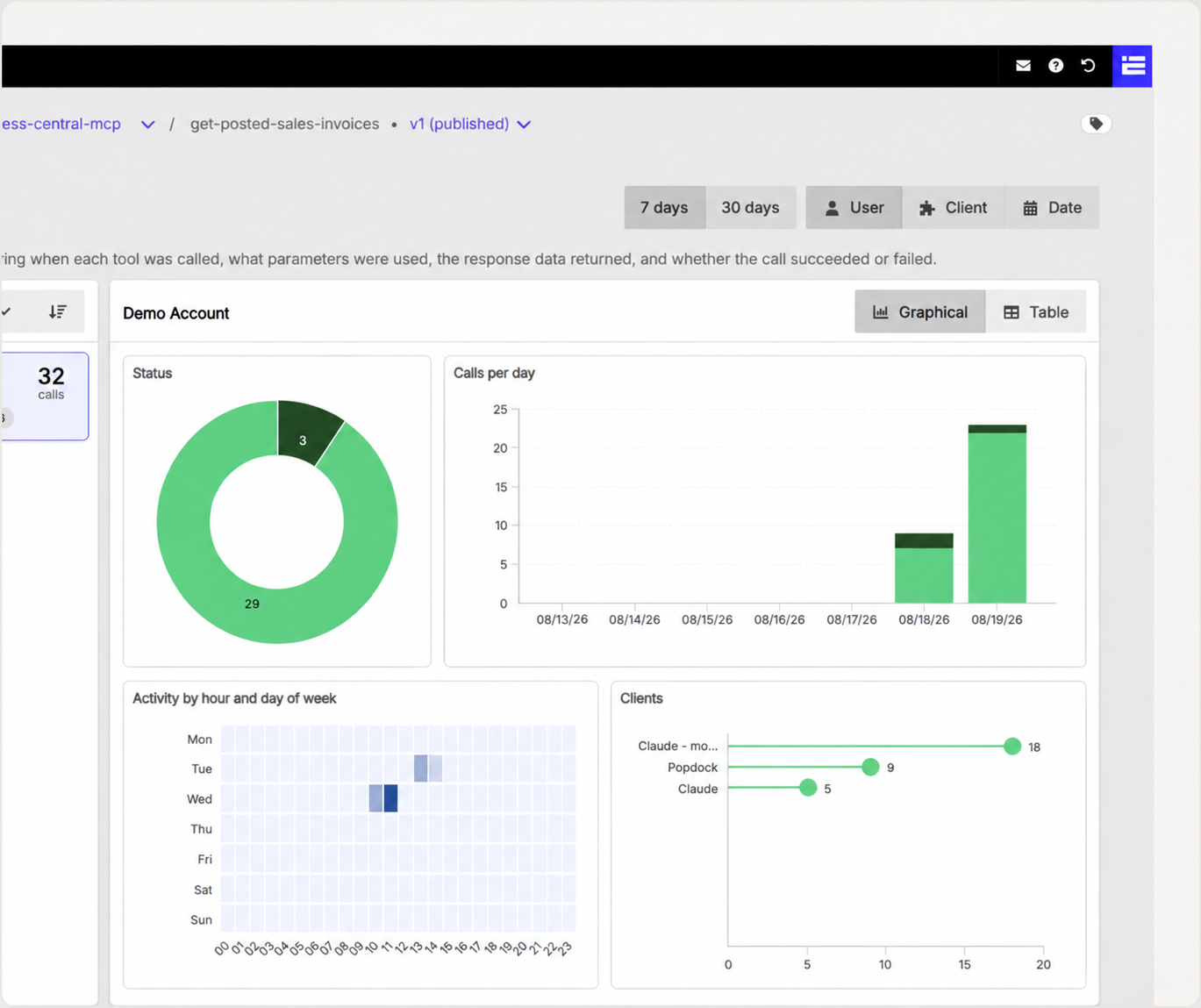
Every tool call and prompt invocation is recorded with its status, its version and its detail. When someone asks what the AI actually did, you can answer precisely.
versioning
Change it safely, roll it back instantly.
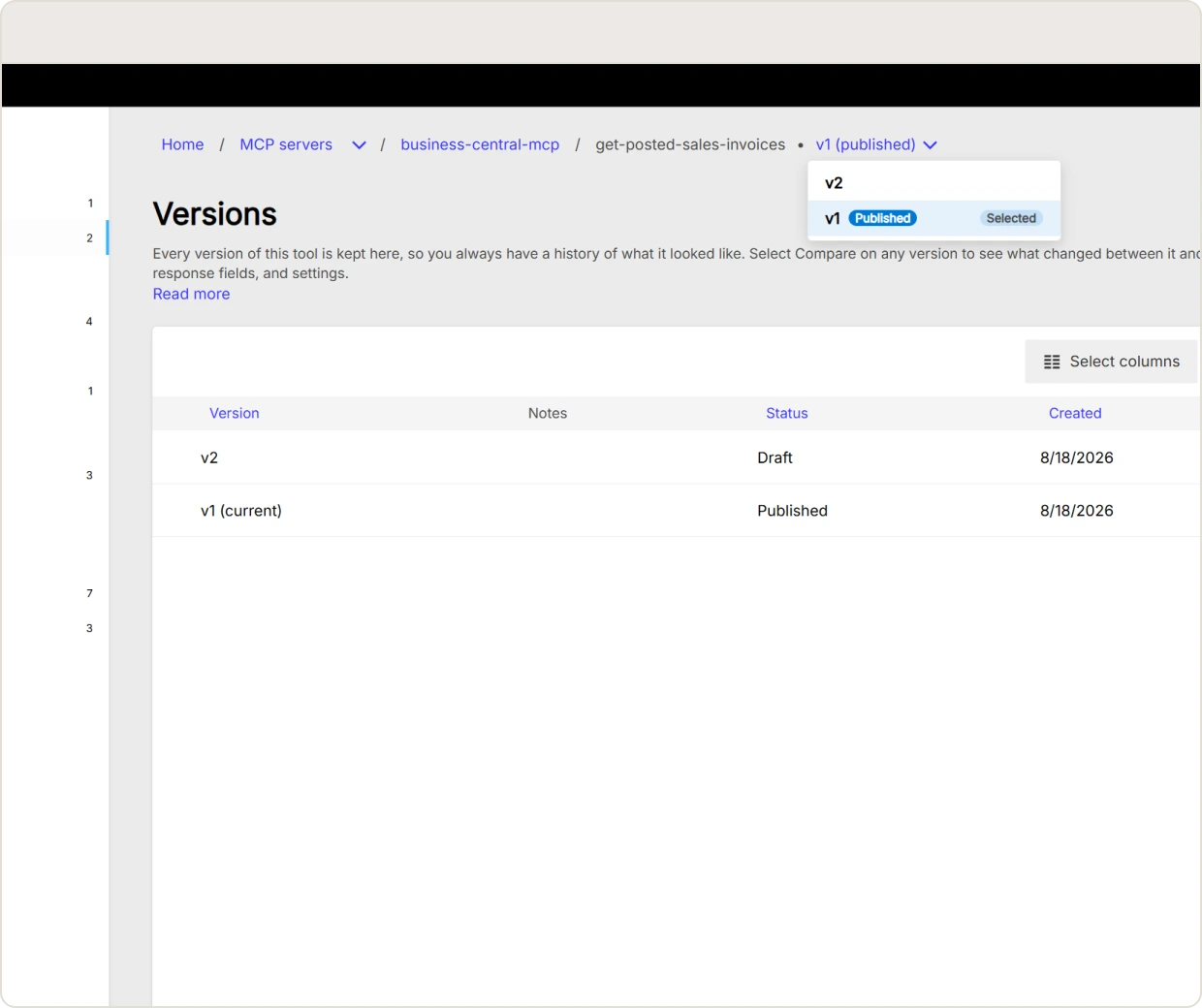
Once an AI client is calling your tools, edits carry risk. PopdockAI versions servers, tools, and prompts, so you work on an unpublished draft while the live version keeps serving traffic. Publish when you are ready, add a note so the next person knows why, and roll back to any earlier version if something behaves differently in the wild than it did in testing.
External MCP servers
One endpoint for everything, including the servers you did not build.
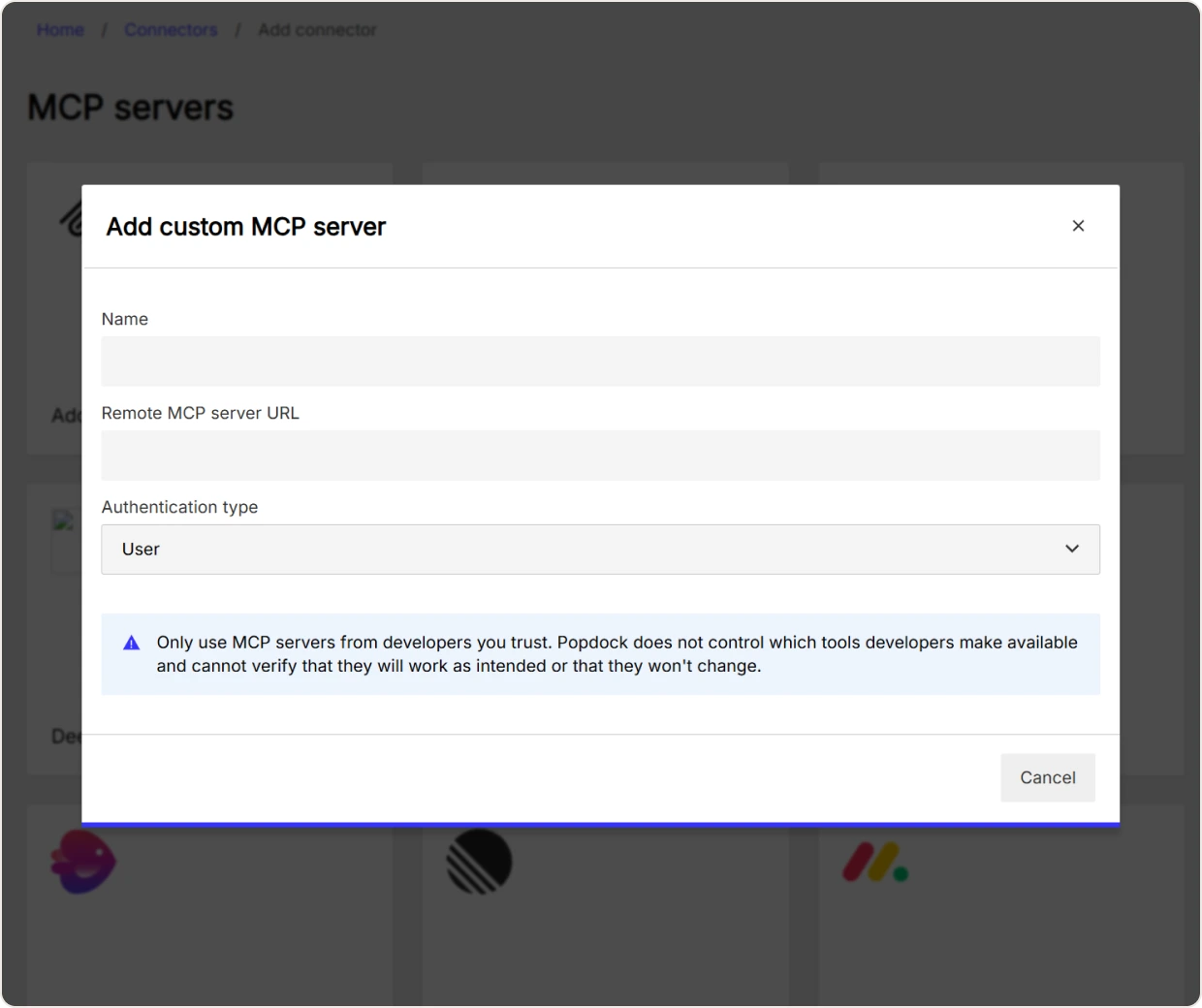
Your team will find MCP servers worth using that PopdockAI did not write. Register an external server by URL, choose whether it authenticates per user or once for the account, and browse the tools it offers. Expose the ones you want, and they arrive alongside your own with the same governance and the same audit trail.
Visibility
See where AI is actually helping.
Usage tracking counts MCP tool executions and prompt executions over time, shows you which tools your team leans on most, and which users are driving it. That tells you where AI is delivering value, and where a tool needs a better description or a tighter response.
FAQs
Common questions
Have a question we didn't answer?
Reach out to our team — we're happy to walk through any scenario, including regional pricing, eOne AI bundles, and transition pricing from existing Popdock plans.
Model Context Protocol is an open standard for connecting AI assistants to external data and tools. Instead of relying on training data, the assistant calls a live tool and gets a real answer. Because it is a standard, one server works with every compatible client.
No. Tools, parameters, validation, and permissions are all configured in PopdockAI's editor, and the built-in test console lets you verify a tool before anyone can call it.
Claude, ChatGPT, Microsoft Copilot, Cursor, Claude Code, Perplexity, and others, plus any custom MCP client. You choose which ones are allowed.
That is your call, per tool. Data tools read. Action tools can create, update, and delete, and you decide which fields the AI is allowed to set. If you only want reads, only publish reads.
Every tool call and prompt invocation is logged with its status, version, and full detail.
Edit an unpublished draft while the current version keeps serving requests, then publish when you are ready. If it does not work out, roll back.
Yes. Register an external server by URL and expose the tools you want through PopdockAI, with your own permissions and audit trail on top.
One prompt template with infinite possibilities.
Your AI assistant adapts its approach, tone, and capabilities to match each unique context while you maintain a single, manageable workflow.
Join forward-thinking companies that are transforming their operations with intelligent, secure AI automation.